How to Stop Spam on Telegram (The Settings That Actually Make a Difference)
Telegram's openness is part of what makes it useful - and part of what makes it attractive to spammers. Anyone can message you directly if they have your phone number or username. Anyone can add you to a group if your settings allow it. Spam bots operate at scale. The default privacy settings leave you more exposed than most people realize, and most spam problems on Telegram are directly attributable to settings that haven't been changed from their defaults.
The good news is that the settings that matter most take about five minutes to configure, and after that, the volume of unwanted contact drops significantly.
Quick Answer (For Those in a Hurry)
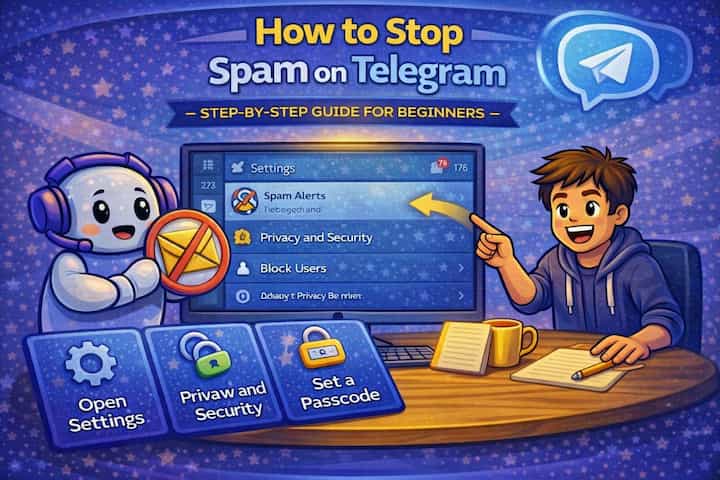
Go to Settings -> Privacy and Security and make three changes: set Who can send me messages (under Messages) to My Contacts, set Who can add me to groups and channels to My Contacts, and set Who can find me by my phone number to My Contacts. These three settings together close the main entry points for spam. Block any spam that gets through using the report-and-block option that appears when you long-press any message.
What This Guide Actually Helps You Do
This guide is designed for readers who want to change privacy or safety settings without misunderstanding what other people can still see. It adds value beyond the basic menu path by explaining which signals are hidden, which ones remain visible, and whether the change affects one conversation, one contact, or the whole account. That matters because privacy features are easy to overestimate, especially when screenshots, notifications, profile visibility, or group behavior still reveal context.
The practical goal is to leave you with a result you can verify, not just a menu path you followed. It also keeps the limits visible: this guide does not pretend to offer total invisibility, message secrecy against screenshots, or a way to bypass another person's privacy settings. It shows the reliable path, the trade-offs, and the checks that help you avoid repeating the same mistake.
Real Situations Where Spam Becomes a Real Problem
Telegram spam isn't always the same problem. The cause and the right fix differ depending on how spam is reaching you.
You shared your Telegram username publicly - in a bio, a forum post, an article - and now you're receiving unsolicited DMs. Having a public username on Telegram means anyone can message you without needing your phone number. This is useful for being contactable, but it also removes a friction layer that filters out casual spammers. The fix isn't hiding your username - it's configuring whether non-contacts can message you and being selective about where you publish it.
You joined several public groups and started receiving spam messages or being added to new groups you never consented to. Active participation in large Telegram groups exposes your account to other members, some of whom are operating bots or spam networks. They scrape member lists and add accounts to spam groups or send bulk DMs. The group membership settings - restricting who can add you to groups - are specifically designed for this problem.
You received a message from an unknown number that looked like it was from a real person but contained a suspicious link or offer. This is the most common phishing vector on Telegram. It often comes from scraped phone number databases - your number was obtained from a data breach or a directory and someone is running a mass-messaging campaign against it. Restricting who can find you by phone number reduces future exposure, and blocking and reporting the sender helps Telegram's systems.
Before You Configure Settings: One Thing to Know
The most impactful spam prevention settings are the ones that control group access, not message access. Most people focus on who can message them directly, but the higher-volume spam entry point is being added to spam groups against your will. Once you're in a spam group - even briefly - other members can see you, DM you, and add you to more groups. The group addition setting is the higher-priority fix. Configure it before anything else.
How to Stop Spam on Telegram - Step by Step
Step 1 - Open Privacy and Security Settings
On mobile, tap the hamburger menu (menu) and go to Settings -> Privacy and Security. On desktop, click the menu menu -> Settings -> Privacy and Security. All the relevant controls are in this section.
Step 2 - Restrict Who Can Add You to Groups and Channels
In Privacy and Security, tap Groups & Channels (sometimes labeled "Groups, Channels & Stories"). Change the setting from Everyone to My Contacts. This is the single most impactful change for stopping unsolicited group additions. With this setting, only people you've saved in your contacts can add you to groups directly - everyone else would need to send you an invite link you choose to accept.
Step 3 - Restrict Who Can Find You by Phone Number
Still in Privacy and Security, tap Phone Number -> Who can find me by my number and set it to My Contacts. This prevents strangers from typing your phone number into Telegram's search and finding your account. It reduces your exposure in scraped-database spam campaigns, where spammers obtain lists of phone numbers and look up their corresponding Telegram accounts.
Step 4 - Block and Report Individual Spam Senders
When you receive a spam message in a DM, long-press the message and tap Report. Telegram will ask what type of spam it is - select the appropriate category. After reporting, also tap the sender's name at the top, scroll down, and tap Block User. Reporting contributes to Telegram's spam detection and helps protect other users from the same account. Blocking stops that specific account from contacting you.
Step 5 - Report Spam Groups
If you're added to a spam group despite your settings, tap the group name at the top, scroll to the bottom, and tap Report. After reporting, tap Leave Group. For groups that are clearly operating as spam infrastructure, the report matters - Telegram's trust and safety team reviews reports of groups, and sufficient reports can result in group removal.
Step 6 - Use a Username Instead of Sharing Your Phone Number
If you need people to be able to contact you on Telegram without knowing your phone number, set a username (Settings -> Username) and share that instead of your number. This creates a buffer: people can reach you, but you can still restrict who can find you by phone number, reducing exposure to number-based spam databases. Your username can be changed anytime if it starts attracting spam.
Step 7 - Manage Spam Groups You've Already Been Added To
Check your chat list for groups you don't recognize or didn't intentionally join. Long-press each one, select Report, then Leave. Doing this actively clears existing spam group memberships and removes the exposure that comes with being listed as a member in those groups.
What Changes After These Settings Are Applied
The volume of spam drops noticeably once the group addition and phone number lookup restrictions are in place. The mechanism is simple: most Telegram spam operates at scale through automation, and automation targets the path of least resistance. Accounts with default settings - visible by phone number, addable to groups by anyone - are easier targets than accounts with restricted settings. Changing the defaults makes your account a harder target than the average, which is enough to reduce most automated spam significantly.
Direct message spam from accounts that already have your username may continue, because username-based messaging isn't restricted by these settings. If that's your primary spam source, the block-and-report workflow is the relevant tool - Telegram's spam detection improves with user reports, and consistently blocking and reporting spam senders from the same networks helps Telegram's automated systems identify and act on them.
For group owners, the change is the most dramatic - if you've implemented a moderation bot and restricted who can add members, the amount of time spent on manual moderation drops considerably.
Advanced Tips: Going Further Than the Basic Settings
Enable Telegram's "New Chats from Non-Contacts" folder to quarantine unknown senders. Telegram introduced a feature where messages from people not in your contacts go to a separate "New Chats" folder rather than your main inbox. This effectively quarantines unsolicited messages - you see a count of new messages from non-contacts but they don't appear alongside your regular conversations. Check Settings -> Privacy and Security -> Messages -> Non-Contacts to configure this. It's one of the most practical spam management features Telegram has added.
For group admins, add Combot or Rose Bot for automated spam filtering. Managing group spam manually doesn't scale past a few hundred members. Moderation bots handle automated captcha verification for new members (preventing bot accounts from joining), keyword filtering for common spam phrases, flood control for accounts sending too many messages too quickly, and automatic removal of forwarded messages from spam channels. Setting up a bot takes about 20 minutes and handles the vast majority of spam moderation automatically afterward.
Use Telegram's "Delete and Report" option when leaving spam groups for maximum impact. When you leave a spam group, Telegram gives you the option to delete the chat and report it simultaneously. Choose this option rather than just leaving - it removes the group from your chat list immediately and contributes a report to Telegram's moderation system. The difference between 10 users reporting a spam group and 100 users reporting it is significant for how quickly Telegram acts on it.
Set your Messages privacy to restrict who can send you DMs. In Privacy and Security -> Messages, if this option is available in your version of Telegram, you can restrict direct messages to your contacts only. This prevents anyone without your number (or who you haven't added as a contact) from sending you an unsolicited DM. People can still reply to you in groups where you're a member, and they can send a message request that you can accept or decline.
What These Settings Can't Stop Completely
No configuration eliminates spam entirely from a platform as open as Telegram. The settings described here reduce exposure significantly by removing the easiest automated attack vectors, but they don't prevent determined human spammers from finding your username through public group participation and messaging you directly. They also don't prevent spam within groups you've voluntarily joined - if you're an active member of a large public group, other members can still send you DMs, mention you, or add you to other groups in ways that bypass some restrictions.
Phishing links sent by accounts that have your username before you restricted settings, or from contacts whose accounts have been compromised, also bypass these protections - the spam is coming from a trusted or reachable source. Recognizing the patterns of phishing messages (urgency, unusual requests, links to external sites that look slightly wrong) is still necessary regardless of privacy settings.
Two-step verification and account security are also separate concerns from spam prevention. Settings control who can contact you; two-step verification controls who can take over your account. Both matter, but they address different threats.
Frequently Asked Questions
I restricted who can add me to groups, but I'm still being added to spam groups - how? If your setting is "My Contacts" for group additions, and people in your contacts list are adding you to spam groups, the restriction is working correctly - it's allowing contacts through as intended. The solution is to remove the contact who's adding you to spam groups from your Telegram contacts, or to check whether the groups are linked to contacts through a different mechanism. Also verify that the setting saved correctly - Telegram occasionally requires restarting the app for privacy settings to fully apply.
Someone in a group can see my phone number even though I set it to hidden - is this a bug? Not a bug - it's the mutual contacts behavior. If you're in a group with someone who has your phone number saved in their address book, and your phone number is set to "My Contacts" (rather than "Nobody"), they can see it because Telegram's contact matching creates a bidirectional relationship. Setting your phone number visibility to "Nobody" would prevent this entirely, though it also prevents all Telegram contacts from seeing your number. Alternatively, use "My Contacts Except..." and specifically exclude the person.
Does blocking someone on Telegram also remove them from shared groups? No. Blocking prevents a blocked person from sending you direct messages and seeing your last seen or profile updates, but it doesn't remove either of you from shared groups. In shared groups, you'll still see their messages and they'll see yours - the block only applies to direct contact. If someone you've blocked is in a group that you want to participate in, you may see their messages (possibly greyed out or hidden depending on your Telegram version), and they'll see yours.
Is it safe to report spam on Telegram, or will the spammer know I reported them? Telegram's reporting system is anonymous - the person you report is not notified that you specifically reported them. They receive no indication that a report was filed or by whom. The only consequence from their perspective is if Telegram takes action on their account based on aggregate reports, which they might experience as a warning, restriction, or ban. Reporting is safe and contributes to platform-level spam reduction.
My phone number appeared on a Telegram spam group's member list even though I never joined it - how? This happens when your account was added to a group against your will before you restricted your group addition settings. Even a brief membership - from an automated bot that adds accounts and removes them quickly - may have left your information visible to scrapers who log group membership before the removal. The restriction setting prevents future additions but doesn't retroactively remove your data from external logs. This is one of the reasons acting quickly when you notice you've been added to a spam group matters - the sooner you leave and report, the less exposure occurs.
What To Verify Before You Finish
A good finish looks like this: the privacy behavior is clear in a real conversation and you know what the other person will still be able to notice. Before moving on, do a small real-world test: try the setting with a trusted contact or secondary device, then compare the visible profile, notification, or message state from both sides.
If someone can still see something you expected to hide, the most likely explanation is that the feature protects only a specific layer of privacy and does not control screenshots, saved media, group history, forwarded content, or old notifications. In that case, use the troubleshooting or limitation section above first, because repeating the same taps usually hides the real cause.
Related Guides
Read next: Send large files on Telegram | Find Telegram groups | Schedule messages on Telegram
Final Thoughts
The three settings - group addition restriction, phone number lookup restriction, and the non-contacts message folder - together address the vast majority of Telegram spam at the source rather than after the fact. Configure them once and the ongoing maintenance drops to blocking and reporting the occasional message that gets through anyway. Five minutes of settings work, done right, is worth considerably more than repeatedly dealing with individual spam messages after they arrive.