How to Create a Telegram Channel: Step-by-Step Guide for Beginners
Creating a Telegram channel is one of the most effective ways to share content with a large audience. Whether you want to build a community, grow a brand, share updates, or distribute content, Telegram channels provide a powerful and scalable solution.# How to Create a Telegram Channel (And Set It Up So People Actually Subscribe)
A Telegram channel isn't a group chat. It's a broadcast tool - one voice, unlimited audience, no noise from subscribers. You post, they receive. That one-way architecture is what makes channels useful for content distribution, news, business updates, or community building at scale. The setup takes about five minutes, but the decisions you make during those five minutes - name, username, public vs private - determine how discoverable and professional the channel looks from day one.
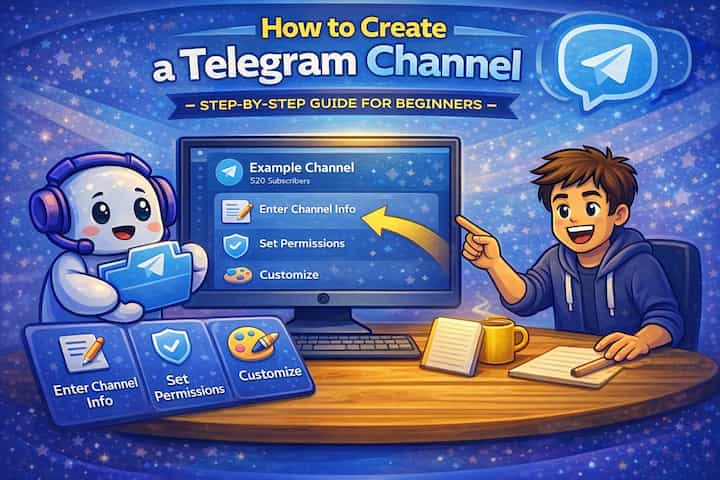
Quick Answer (For Those in a Hurry)
On mobile, tap the pencil icon at the bottom-right, select New Channel, enter a name and description, choose Public or Private, set a username (for public channels), add a profile photo, and tap Create. On desktop, open the hamburger menu (menu), click New Channel, and follow the same steps. Your channel is live immediately and you can start posting.
What This Guide Actually Helps You Do
This guide is designed for readers who want to set up a channel, group, or community space that works for real people after the first day. It adds value beyond the basic menu path by explaining who should be able to join, who can post, what permissions members need, and how moderation will stay manageable. That matters because new communities often fail because the setup looks finished but roles, invites, rules, and posting permissions are unclear.
The practical goal is to leave you with a result you can verify, not just a menu path you followed. It also keeps the limits visible: this guide does not pretend to offer instant growth, automatic engagement, or a community that moderates itself without clear structure. It shows the reliable path, the trade-offs, and the checks that help you avoid repeating the same mistake.
Real Situations Where a Telegram Channel Is the Right Tool
Telegram channels solve a specific communication problem: you have something to share, you want it to reach many people cleanly, and you don't want replies cluttering the feed.
You're a content creator, journalist, or expert who wants a direct distribution channel that you fully control. Algorithms on social media decide how many of your followers see your posts. A Telegram channel doesn't have an algorithm - every subscriber receives every post. For newsletters, analysis, updates, or any content where reaching your actual audience matters more than engagement metrics, Telegram channels give you reliable delivery at no cost and with no platform intermediary deciding your reach.
You run a business, project, or community and need a reliable way to push announcements, updates, and releases. Product launches, service updates, schedule changes, event announcements - these need to reach the right people quickly without getting lost in a two-way conversation. A channel keeps these communications clean and accessible, and Telegram's message permanence means subscribers can scroll back through the history whenever they need to find something.
You want to build an audience around a specific topic - investing, gaming, tech, news, a niche community - without managing group dynamics. Groups on any platform require active moderation once they grow. A channel sidesteps that problem entirely: there's no off-topic discussion, no arguments, no spam from members. You control the content entirely, and subscribers come specifically for what you post rather than for community interaction. This makes channels particularly effective for niche information channels where the content itself is the value.
Before You Create: One Thing to Know
Your channel's username is permanent once set - it cannot be changed without consequences. A public channel's username becomes its permanent URL (t.me/yourname), and changing it breaks any links you've shared. The name and description can be edited freely at any time, but the username locks in your channel's address. Choose something short, relevant, and clearly connected to your content before you confirm it. If the username you want is taken, try variations with underscores or abbreviations - but don't rush into a username you'll immediately want to change.
How to Create a Telegram Channel - Step by Step
Step 1 - Open Telegram and Start a New Channel
On mobile, tap the pencil icon at the bottom-right of your chat list. Select New Channel. On desktop, click the hamburger menu (menu) at the top-left and select New Channel. On Telegram Web, the option is in the same menu structure.
Step 2 - Set Your Channel Name and Description
Enter your channel name in the name field. This is the display name that appears to subscribers in their chat list and in search results - make it descriptive, readable, and relevant to what you'll be posting.
Below the name, write a channel description. This is what people see before they subscribe. Think of it as a pitch: what does this channel cover, who is it for, and why should someone subscribe? Keep it under 255 characters. A specific description ("Daily tech news + analysis for software engineers") performs better than a vague one ("Tech and stuff").
Step 3 - Choose Public or Private
Select Public if you want the channel to be searchable on Telegram and accessible to anyone without an invitation. This is the right choice for channels meant to grow an audience.
Select Private if you want the channel to be accessible only through an invite link you control. This works for premium content, internal communications, exclusive communities, or anything where controlled access matters.
Step 4 - Set Your Channel Username (Public Channels)
If you chose Public, you need to set a username. This becomes your channel's permanent link: t.me/yourusername. Type your desired username and Telegram will confirm whether it's available. Keep it short, lowercase, and directly connected to your channel's topic. Avoid numbers at the end unless necessary - they make usernames look less established.
Step 5 - Add a Profile Photo
Tap the camera icon to upload a profile photo. This is the image that appears next to your channel name everywhere on Telegram - in search results, in subscribers' chat lists, and in forwarded posts. Use a square image at minimum 200x200 pixels. Logos, icons, and simple branded images work better than complex photos at the small sizes Telegram displays.
Step 6 - Invite Initial Subscribers
After creating the channel, Telegram offers the option to invite contacts from your phone. This step is optional. Invite people who would genuinely want to receive your content - starting with engaged subscribers is better than inflating your count with people who immediately mute or leave. You can skip this and share your channel link separately to more targeted audiences.
Step 7 - Post Your First Message
Your channel is live. Send your first post - an introduction explaining what the channel covers, how often you'll post, and what subscribers can expect. This first message anchors the channel's identity and sets expectations. Pin it after posting (tap and hold -> Pin) so new subscribers always see it first regardless of when they join.
What Changes Once Your Channel Is Running
From the subscriber's perspective, your channel appears in their chat list like any other conversation, but posts appear without any ability to reply directly in the channel. They see everything you post, can react (if you have reactions enabled), can forward posts to other chats, and can view the full history from when they joined. There's no notification for who joined or left.
From your side as the admin, you have full control over the content timeline. You can edit or delete any post after sending, schedule posts in advance, pin important messages, and add additional admins with controlled permissions. Telegram's message statistics (visible under each post) show how many people viewed it, which gives you a real sense of reach rather than an algorithmic estimate.
The channel's post history is permanent and searchable for subscribers - everything you've ever posted is accessible by scrolling back or using Telegram's search within the channel. This creates a natural archive that makes channels useful as ongoing resources rather than just real-time feeds.
Advanced Tips: Building a Channel That Grows
Use Telegram's built-in post scheduling to maintain consistency without being online at posting time. Tap and hold the Send button (or right-click on desktop) and select Schedule Message. Set the date and time for delivery. Scheduled posts appear in your channel automatically at the specified time, which lets you batch-write content during one focused session and distribute it steadily throughout the week. Consistency of delivery matters more than posting frequency for subscriber retention.
Enable post reactions to create lightweight engagement without turning on comments. Go to your channel settings -> Reactions and enable them. Subscribers can react to posts with emoji without being able to reply in text, which gives you signal about which content resonates without opening the channel to comments. This is often the right middle ground - more feedback than a pure broadcast, without the moderation overhead of full discussion.
Pin a welcome message that explains the channel and links to your best content. New subscribers who join from a share or a search arrive without context. A pinned first message - visible before any other content when they scroll to the top - tells them what the channel is, why they should stay, and where to find the most valuable content. Update this message as the channel evolves rather than leaving the original first post pinned forever.
Link your channel to a discussion group for subscribers who want to engage. In your channel settings, you can link a separate Telegram group as the "discussion group" for the channel. When linked, a Discussion button appears on channel posts and subscribers can click through to discuss that specific post in the group. You get the clean broadcast experience in the channel and the community discussion in the group - without mixing the two. This is how most large Telegram channels handle the broadcast vs community tension.
What Telegram Channels Can't Do
Telegram channels don't have algorithmic amplification - your posts reach subscribers directly, but Telegram doesn't surface your channel to new people based on engagement or quality. Growth happens through sharing, being found via Telegram search, or being forwarded by existing subscribers. For channels without an existing audience to promote them, early growth requires active promotion outside Telegram itself.
The one-way broadcast model also means there's no built-in feedback mechanism beyond reactions. If subscribers have questions or want to discuss something, they can only do so if you've set up a linked discussion group or if they DM you directly. Pure channels are genuinely one-directional by design.
Telegram's search within channels is available to subscribers but not indexed by external search engines - your channel content doesn't appear in Google results the way a website or social media post might. If discoverability from web search matters to your content strategy, a Telegram channel alone isn't sufficient.
Finally, channel analytics are basic. You see view counts per post and follower growth, but there's no detailed demographic data, no click tracking on links, and no heatmap of when subscribers are most active. For anyone accustomed to newsletter analytics or social media insights, Telegram's native data is minimal.
Frequently Asked Questions
Can I convert a Telegram group into a channel, or do I have to start from scratch? No direct conversion exists. Telegram treats groups and channels as fundamentally different structures - groups are multi-participant conversations, channels are broadcast tools. If you have an existing group and want to move to a channel model, you'd create a new channel separately and invite your group members to subscribe. You can post a message in the group announcing the channel and sharing the invite link to facilitate the transition, but the migration is manual.
Why does my public channel not appear in Telegram search results even though I made it public? Telegram's search indexes public channels, but discoverability depends on several factors. New channels with few subscribers and limited post history rank lower in search than established ones. Your channel name and description determine which search queries it appears for - if someone searches a keyword that doesn't appear in your channel's name or description, your channel won't show up for that query. Update your description to include the specific terms people would search for when looking for content like yours. There's also typically a delay of hours to days before a newly created channel becomes fully indexed.
If I delete a post on my channel, does it disappear from subscribers' devices too? Yes. Unlike some messaging platforms, Telegram deletes posts server-side when you delete them as the channel admin. The post disappears from all subscribers' chat histories, not just from your view. This is one of Telegram's stronger content control features - you have genuine editing and deletion control over your broadcast history. The only exception is if a subscriber forwarded your post to another chat before you deleted it - that forwarded copy persists.
Can I monetize my Telegram channel directly through Telegram? Telegram has been building monetization features, including the ability to share ad revenue for large channels in certain regions. For most channels, direct Telegram-native monetization isn't available or substantial. The more common approaches are using channels to drive traffic to external products (subscriptions, courses, services), running sponsored posts from brands, or creating a paid private channel alongside a free public one where premium content is exclusive to paid subscribers. The infrastructure for channel monetization continues to evolve, so checking Telegram's current monetization documentation is worth doing periodically.
What happens to my channel if I delete my Telegram account? If you're the only admin of a channel and you delete your Telegram account, the channel loses its admin and becomes essentially ownerless - other members can still see it and its history, but no one can manage it. Before deleting an account, transfer channel ownership to another trusted admin through the channel settings -> Administrators -> select the member -> toggle on "Transfer Ownership." This ensures the channel continues to function after your departure.
What To Verify Before You Finish
A good finish looks like this: a new member can join, understand where to go, and interact only in the places you intended. Before moving on, do a small real-world test: enter the space from a normal member account or ask a trusted user to test joining, posting, reading, and leaving.
If members cannot access the right place, post in the wrong place, or get confused by the layout, the most likely explanation is that permissions, invite settings, channel visibility, role order, or the channel structure need to be adjusted before promotion. In that case, use the troubleshooting or limitation section above first, because repeating the same taps usually hides the real cause.
Related Guides
Read next: Create a Telegram group | Hide your phone number on Telegram | Use Telegram secret chats
Final Thoughts
The channel itself is ready in five minutes. The username decision is the one worth taking seriously before you start - everything else can be adjusted later, but your t.me link is how people will find and share the channel, and changing it breaks existing references. Get that right from the beginning, write a description that tells people exactly what they're subscribing to, and post something within the first hour. An empty channel looks abandoned before it's started.
In this complete guide, you'll learn exactly how to create a Telegram channel, set it up properly, customize it, and grow it efficiently - even if you're a complete beginner.
